Search Filters Are Now Available on the Work Page : PowerPoint Design Portfolio
I've added a new search filter feature to the Work page of the PHAINO DESIGN website.

At PHAINO DESIGN, I primarily specialise in PowerPoint presentation design, and I'm grateful to have received a wide range of enquiries and projects over the years.
As more clients have kindly given permission to showcase their work, my portfolio has grown to around 40 published projects.
Search Filters for the PHAINO DESIGN PowerPoint Design Portfolio
Colour

You can now filter projects by seven colour categories:
Blue
Black
Green
Yellow / Orange
Purple
Red
Beige / Gold
Looking back through my PowerPoint Design portfolio, I noticed that many of my presentation designs fall into the blue and black categories.
While every colour palette is carefully selected to reflect each client's brand identity, I particularly enjoy creating fresh, modern blue designs with subtle gradients, as well as clean monochrome presentations that rely on carefully considered spacing, texture, and typography to create strong visual contrast.
Document Type

Based on the projects I've completed so far, I've organised my portfolio into the following five categories:
Company Profile
Sales Deck
Recruitment Presentation
Investor Pitch Deck
Reports
Many clients enquire about Culture Decks, which are included under Recruitment Presentations.
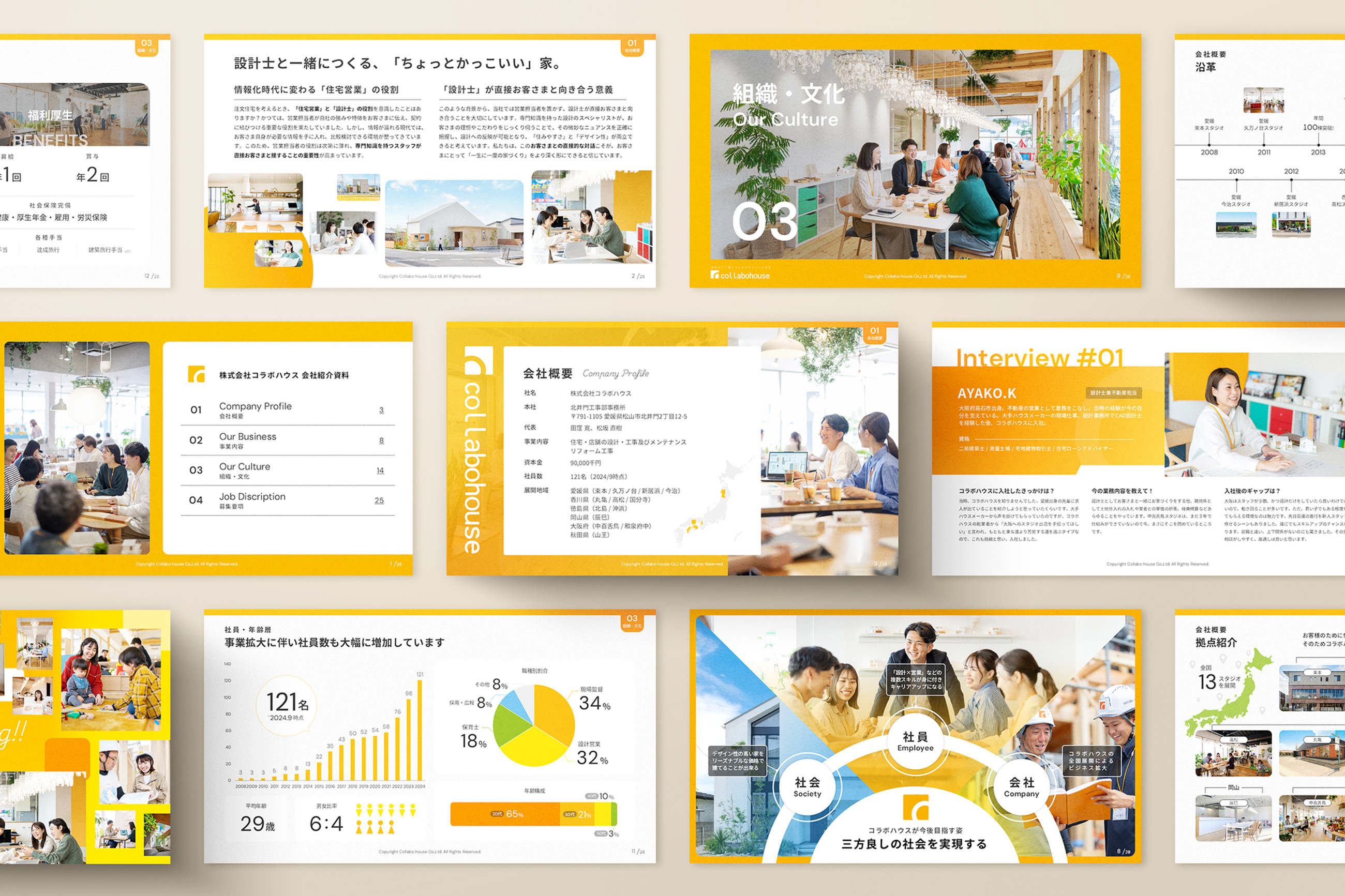

The Reports category also includes B2C presentation materials, such as customer guides and treatment information created for beauty salons and healthcare businesses.

Many projects serve multiple purposes—for example, a presentation may function as both a Company Profile and a Recruitment Presentation.
If you're looking for those types of examples, selecting All and combining it with another filter can help you discover similar projects more easily.
Industry

I've also categorised projects by the client's industry across the following nine sectors:
IT & Technology
Consulting
HR & Recruitment
Real Estate & Architecture
Healthcare, Beauty & Wellness
Creative
Services
Education
Manufacturing
These categories may continue to evolve as my portfolio grows, but I hope they make it easier to explore relevant examples and find projects similar to what you're looking for.
Behind the Development: Using Velo by Wix
The PHAINO DESIGN website is built with the Wix Editor, and for this update I used Velo by Wix to implement the new portfolio search filters.
Since I plan to continue adding new projects regularly, I wanted the system to be easy to maintain.
The filter labels and the search keys used for dynamic filtering are both managed through the Wix CMS, making it simple to update the portfolio as it grows.
To support both Japanese and English, the filter labels are also integrated with Wix Multilingual, allowing them to be translated without modifying the code.
While I regularly design websites using Wix, this was my first time building a more advanced feature with Velo. Successfully implementing the filtering system was a great learning experience and gave me a deeper understanding of what's possible with the platform.
Although PHAINO DESIGN primarily specialises in PowerPoint presentation design and information design, I also offer Wix website design for businesses looking for a modern, easy-to-manage website.
If you're interested in web design projects, you can also explore my work through my sister brand, LITTLE FUJI Design Studio.

Explore My PowerPoint Design / Infographics Portfolio
I'll continue updating my website with new PowerPoint presentation design and information design projects as they become available for publication.
You can also explore more of my work beyond this website through my Behance portfolio and Pinterest, where I regularly share selected design projects and visual inspiration.
Feel free to browse these platforms for additional examples of my work.


If you're looking for a custom PowerPoint presentation, pitch deck, or information design tailored to your business, I'd be happy to help.
Feel free to get in touch to discuss your project.
Thank you for your continued support of PHAINO DESIGN. I look forward to working with you!

